Visualizer
Introduction
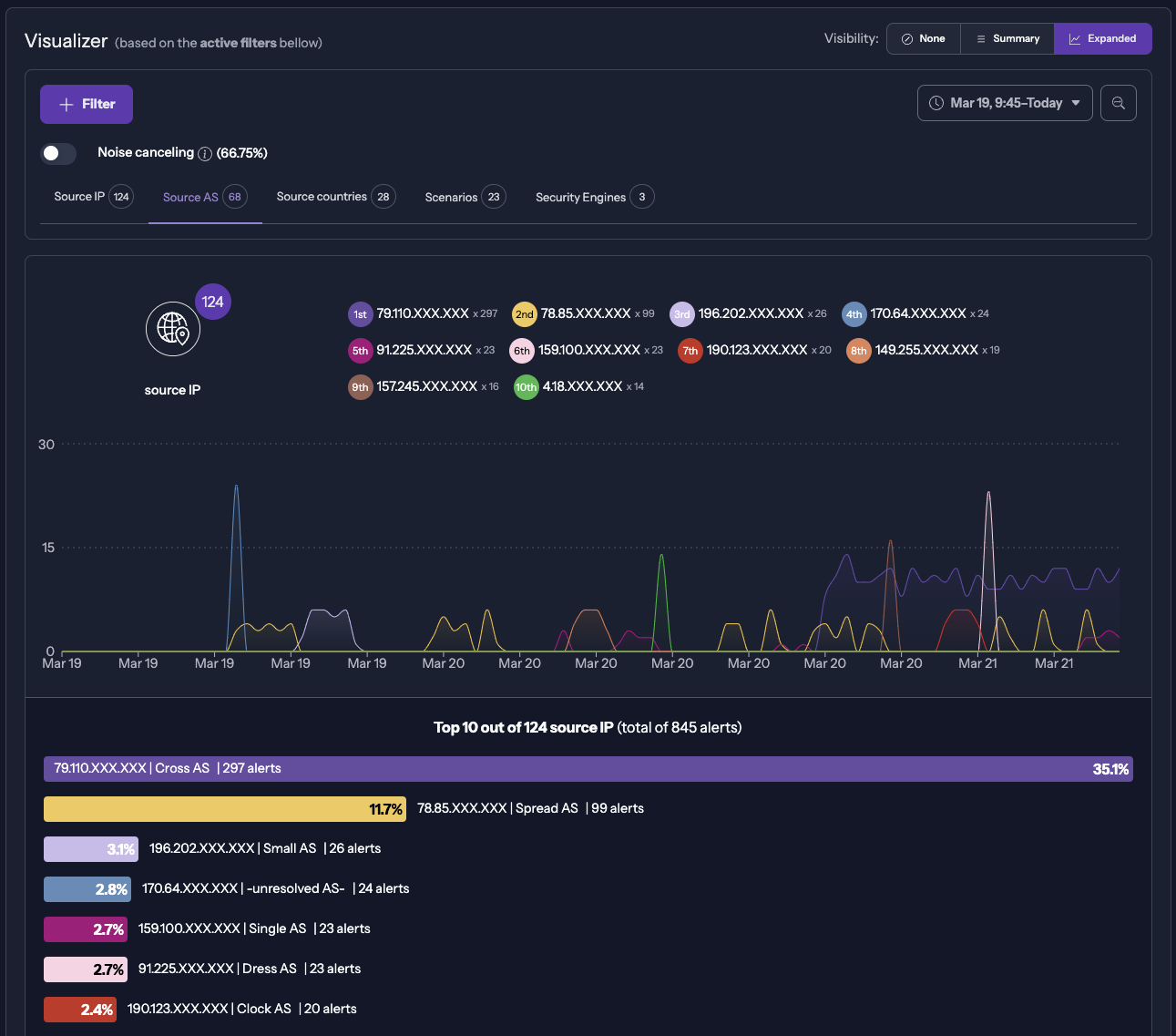
The alerts page will provide a detailed analysis of the threats to your network. Here, we are going to talk about the Visualizer. It offers two main perspectives: a Summary view and an Extended view.
Usage
Summary View
The Summary view presents a synthesis of critical information that allows for quick identification of trends and essential points of network security:
- Most Active IPs: Identify the IP addresses that generate the most alerts.
- Common Attack Scenarios: Discover the most frequent types of attacks and the tactics used by attackers.
- Target Security Engines: Specify the Security Engines that are the focus of the attacks.
- Source AS: Determine the Autonomous Systems responsible for originating the network traffic.

Extended View
The Extended view provides in-depth analysis through interactive visualizations. Each section displays the top ten in each category. Opening the bar chart will display all related info.
Good to know
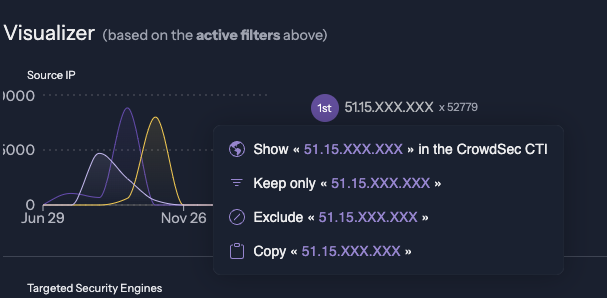
Numerous items on the page have multiple actions available when clicking on them. For example, clicking on an IP can:
- Open the CrowdSec CTI to get more information related to IP behavior on our network
- Filter on all the alerts triggered by this IP alone.
- Exclude this IP from the current page filters. Helpful when doing tests and your IP could be displayed.
- Copy the following IP in your clipboard.
Navigation
Navigation through the view can be easily accomplished using the button above.